Fisheye Presentation
This example creates two windows with different projection methods. The first window contains a fisheye rendering without any 2D UI graphics elements and the second contains only 2D elements. This type of setup is useful in cases where a presenter wants to show the rendered image to the audience, but does not want the user interface to show up.
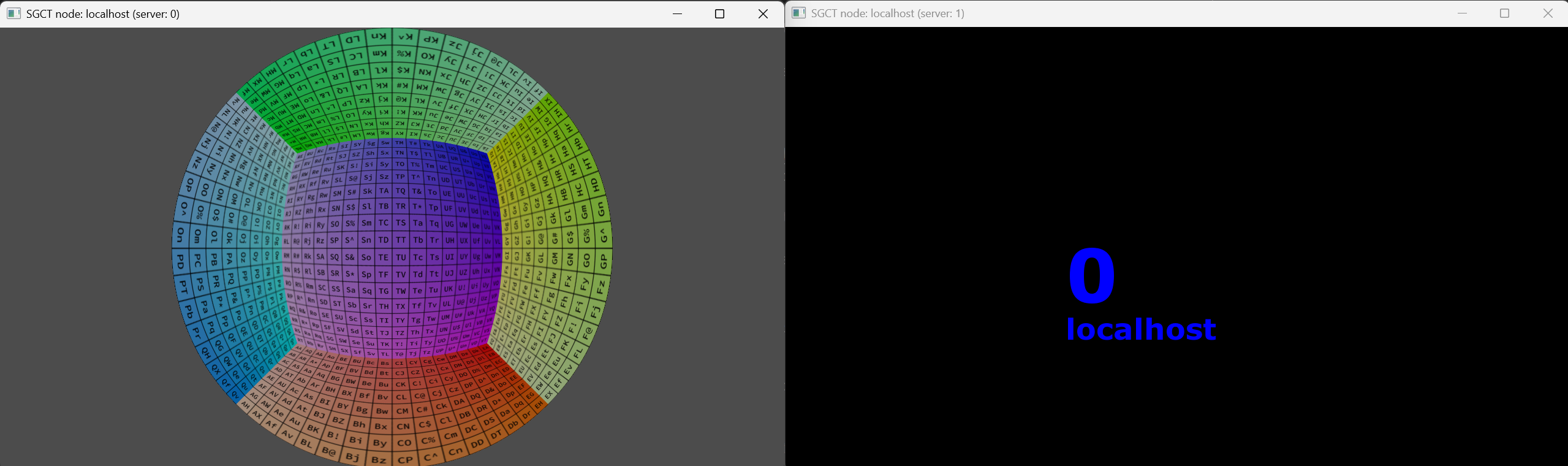
{
  "version": 1,
  "masteraddress": "localhost",
  "nodes": [
    {
      "address": "localhost",
      "port": 20400,
      "windows": [
        {
          "draw2d": false,
          "size": { "x": 1280, "y": 720 },
          "viewports": [
            {
              "projection": {
                "type": "FisheyeProjection",
                "fov": 180.0
              }
            }
          ]
        },
        {
          "draw3d": false,
          "size": { "x": 1280, "y": 720 },
          "viewports": [
            {
              "projection": {
                "type": "PlanarProjection",
                "fov": {
                  "hfov": 80.0,
                  "vfov": 50.534015846724
                },
                "orientation": { "yaw": -20.0, "pitch": 0.0, "roll": 0.0 }
              }
            }
          ]
        }
      ]
    }
  ],
  "users": [
    {
      "eyeseparation": 0.065,
      "pos": { "x": 0.0, "y": 0.0, "z": 0.0 }
    }
  ]
}